
We’re launching the Nium MCP Server, now in beta, so developers can explore, build, and test Nium integrations directly from AI tools like Cursor, Claude Code, and VS Code — accelerating everything from API discovery to code generation and Sandbox testing.
At Nium, we build the infrastructure that helps businesses move money across borders. As AI assistants become a part of how teams work, we want building on that infrastructure to feel just as natural.
Meet the Nium MCP Server, now in beta.
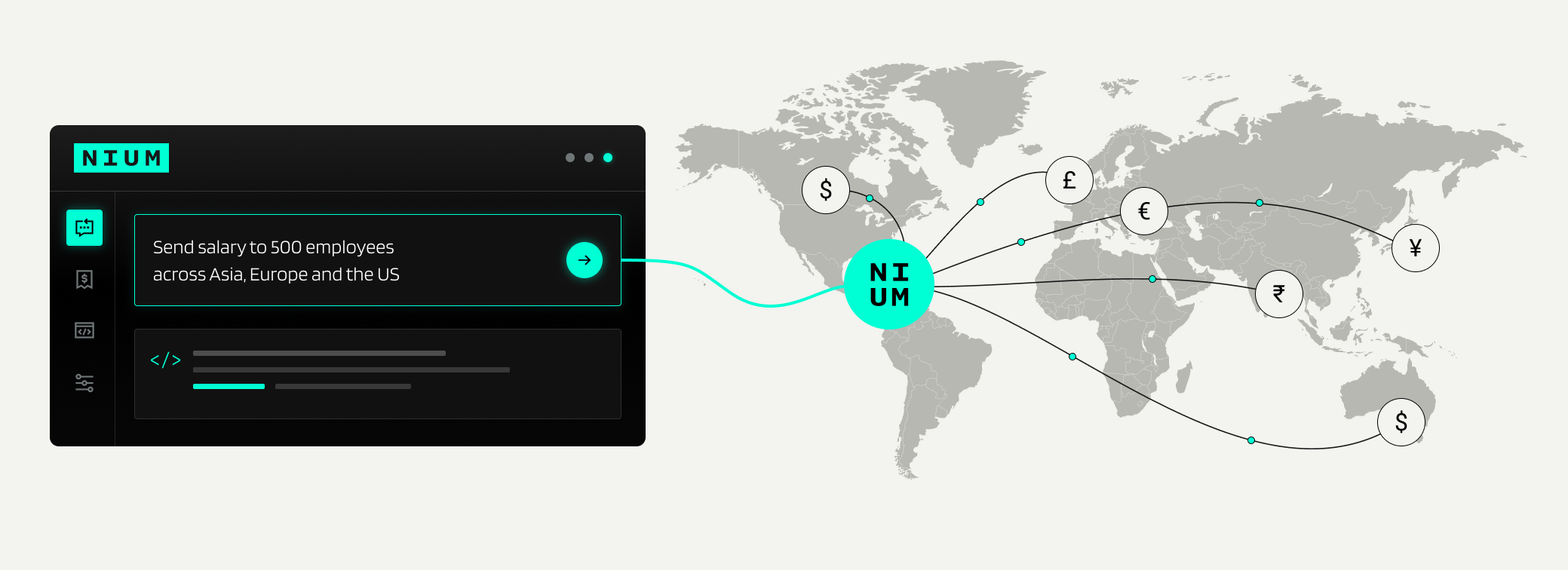
The Nium MCP Server connects AI tools like Cursor, Claude Code, and VS Code directly to Nium's APIs, documentation, and corridor data. Ask a question, generate integration code, discover APIs, or run end-to-end workflows in your Sandbox — all using natural language.
Instead of relying only on what an AI model already knows about Nium, the MCP Server gives it direct access to Nium’s API definitions, documentation, corridor data, and Sandbox tools.
Whether you're an engineer building your first payout integration, a product manager exploring new markets, or simply curious about how global payments work, the Nium MCP Server gives your AI assistant the context and tools it needs to help you move faster.
This is just the beginning, and we're excited to see what you build with it.
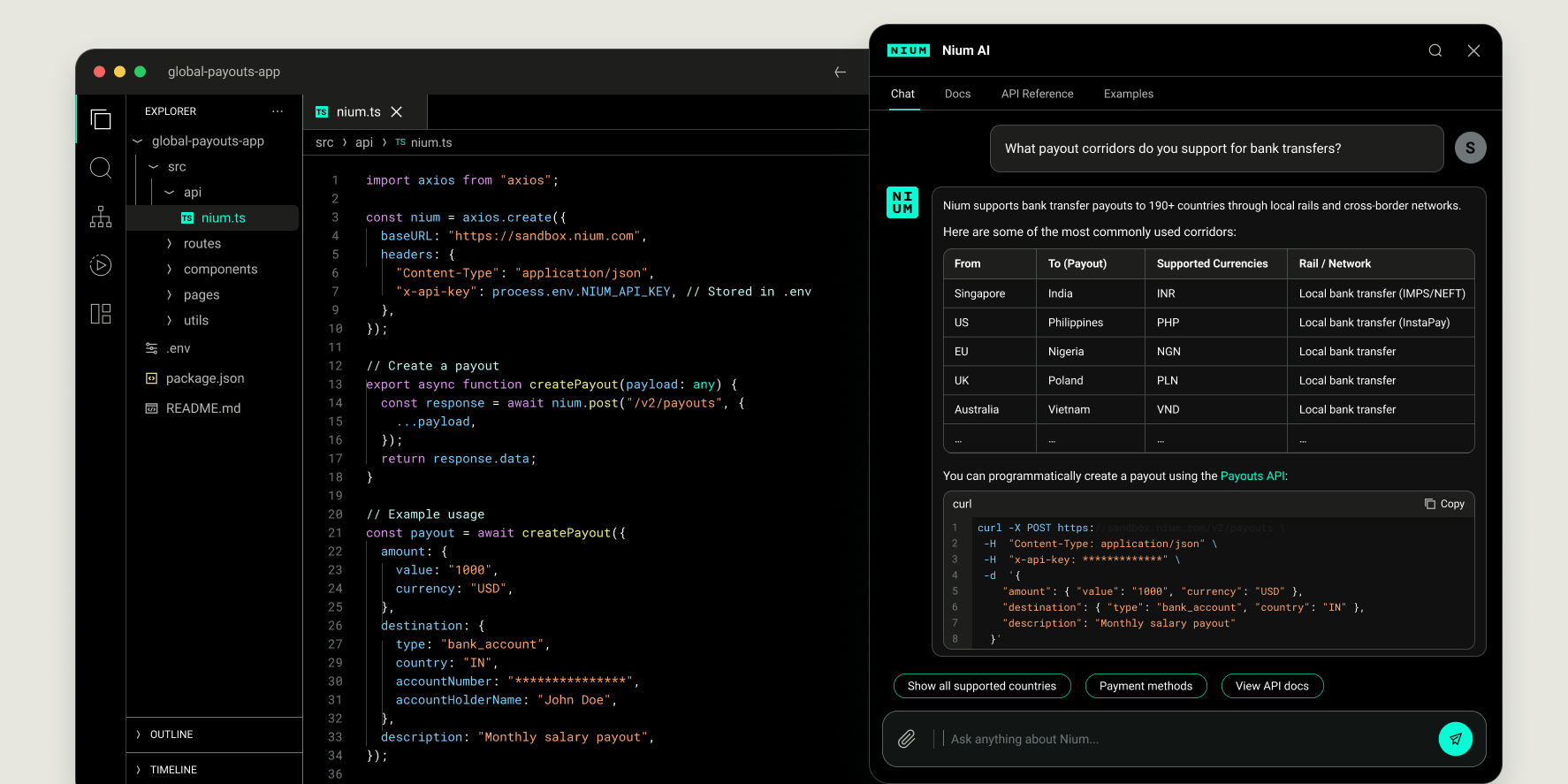
How does the Nium MCP server work?
Built on the Model Context Protocol (MCP), an open standard for connecting AI applications to external tools and data, the Nium MCP Server brings Nium’s APIs, documentation, and Sandbox capabilities into the AI tools you already use.
Think of our MCP as USB-C for AI: one standard connection that lets compatible AI tools work with Nium — without building a separate integration for every AI tool and every service it connects to.
Build faster with Nium and AI
We designed it around three things developers do all the time.
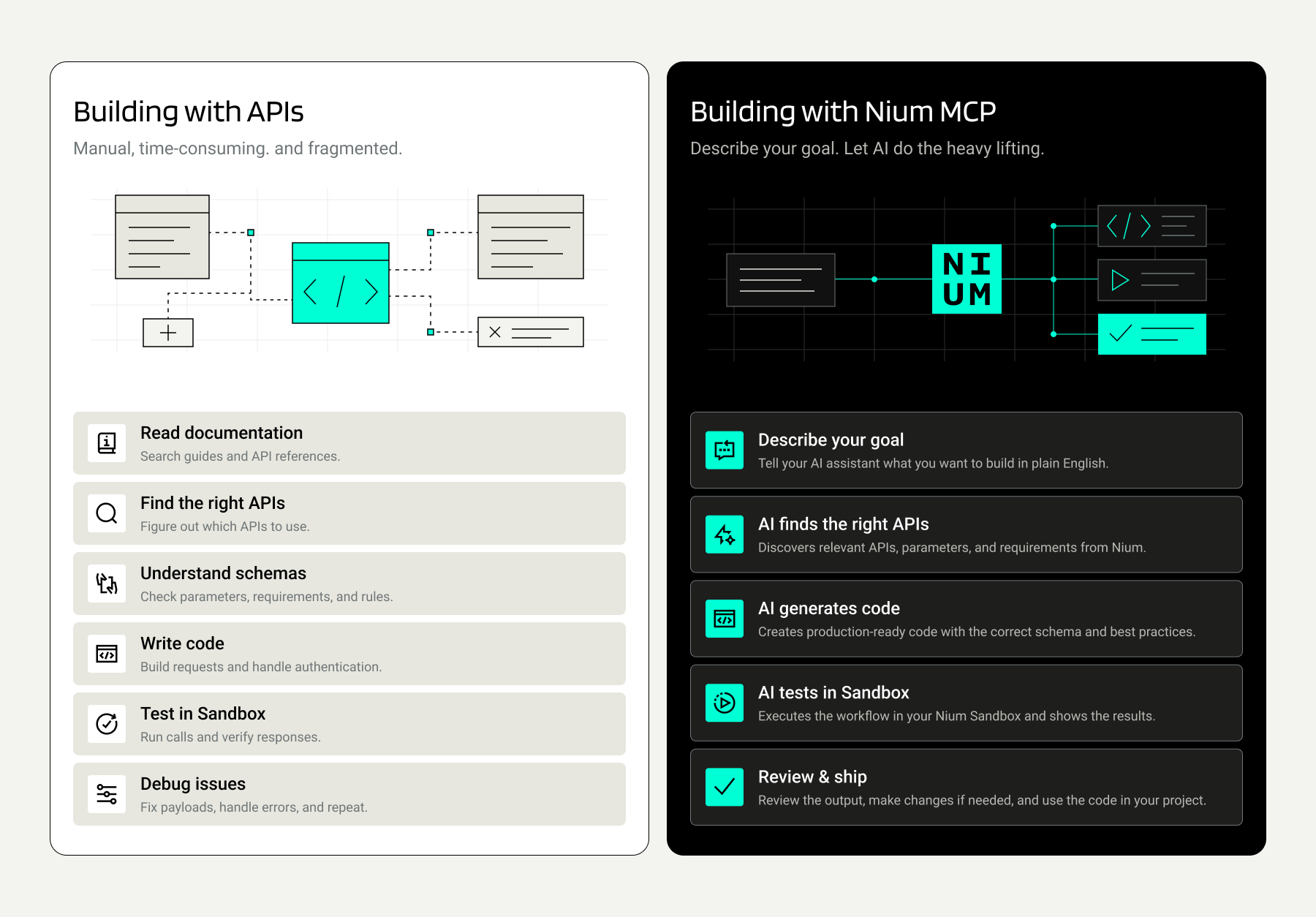
Ask questions and get real answers.
Ask something like "Using Nium, what APIs do I need to send a payout from Singapore to the US?" and your assistant can consult Nium's API definitions and documentation directly, rather than relying only on what the model learned during training.
Generate code that fits the API.
Ask for a function that creates a customer and completes KYC, with error handling, and your agent can check the real API schema first. Your code starts from what the API expects, not from a guess.
Try the whole journey in Sandbox.
This is the exciting part. Your agent can run live calls in your Nium Sandbox: create customers, complete KYC, add beneficiaries, fund wallets, and send payouts. You get to see an integration work before you write your production code.
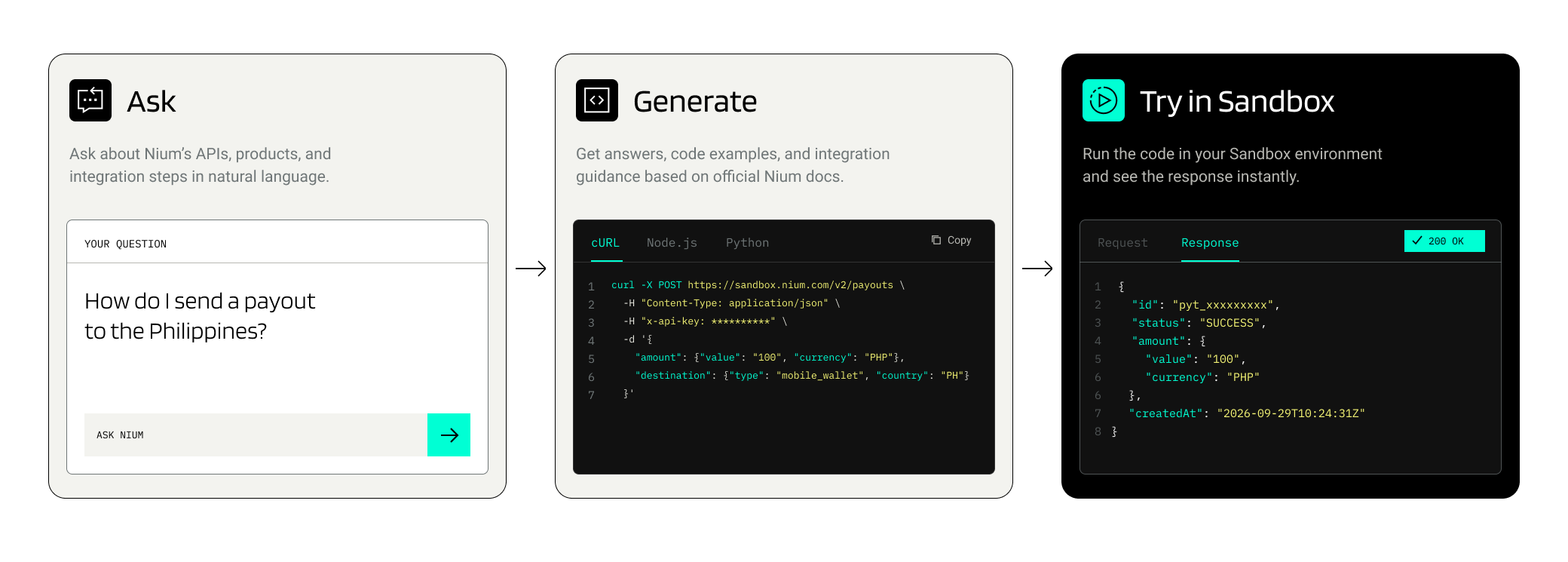
What can you build with the Nium MCP Server?
Explore Nium's APIs, understand integration requirements, and run supported payment workflows in your Sandbox.
Customer onboarding and payouts.
Onboard Corporate customers, discover APIs for your use case, initiate payout workflows, and track transaction status.
Wallets and beneficiaries.
Explore APIs and perform supported Sandbox operations for wallet and beneficiary management.
Nium API documentation and corridor data.
Search API references, understand required parameters, explore integration guides, and check supported country corridors.
The Nium MCP Server is in beta, and we’re continuously adding capabilities. Sandbox execution is limited to the workflows and permissions currently supported by the server. API discovery does not necessarily mean a product supports live execution through MCP.
Build in your preferred tech stack
Instead of manually searching documentation, mapping APIs, and writing boilerplate code, you can describe what you're building in natural language and let your AI assistant generate implementation-ready code grounded in Nium's APIs.
Tell the agent your business goal and technology stack:
- "Using Nium, build a Node.js service that creates a corporate customer, completes KYC, and sends a payout to the US."
- "Using Nium, generate a Python FastAPI application for global payroll payouts with proper error handling and retries."
- "Using Nium, create a React dashboard that displays payout status and transaction history."
The Nium MCP Server gives your AI assistant access to Nium's API definitions, documentation, guides, and corridor information in real time. Instead of generating code based on assumptions or outdated knowledge, the assistant can discover the right APIs, understand required parameters, and generate code aligned with how Nium actually works today.
Whether you're building with Node.js, Python, Java, Go, .NET, React, Next.js, or another framework, you can start with a business workflow and let the AI translate it into working code.
From prompt to Sandbox action
You describe what you want in natural language. (It is that simple.)
Your AI client reads the list of tools the Nium MCP Server offers and decides which ones it needs. The server does the work in your Sandbox, and your assistant explains what happened in plain language. Then you can keep the conversation going: "Now do the same for a different country," or "Turn this into code."
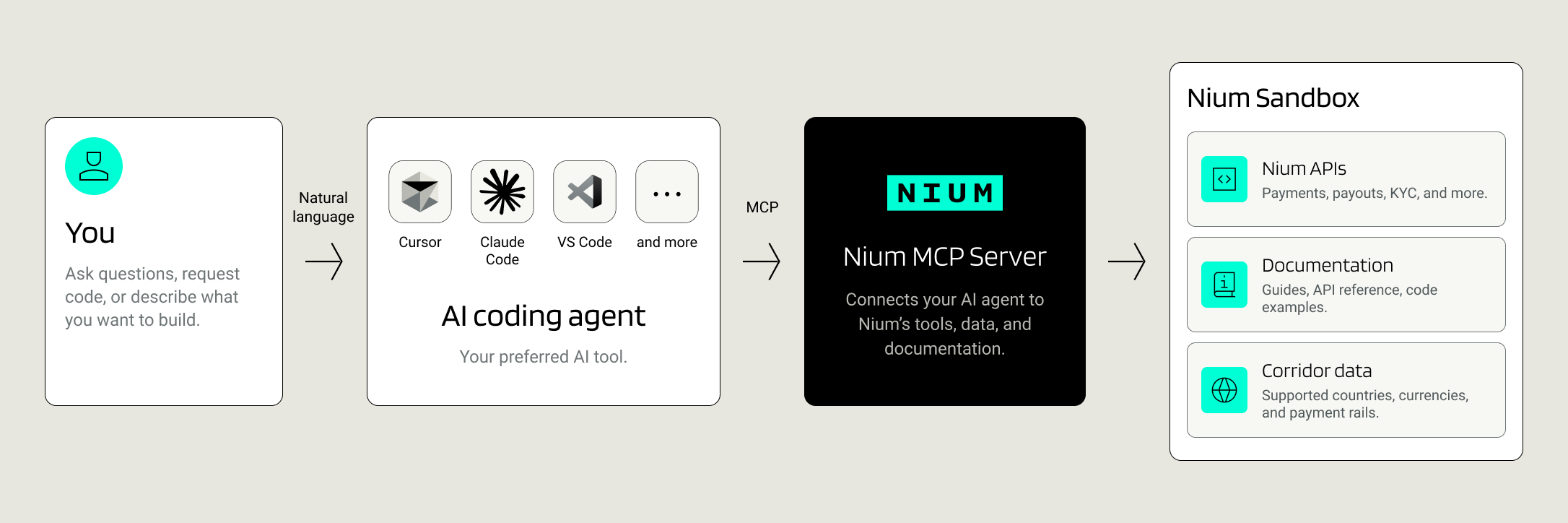
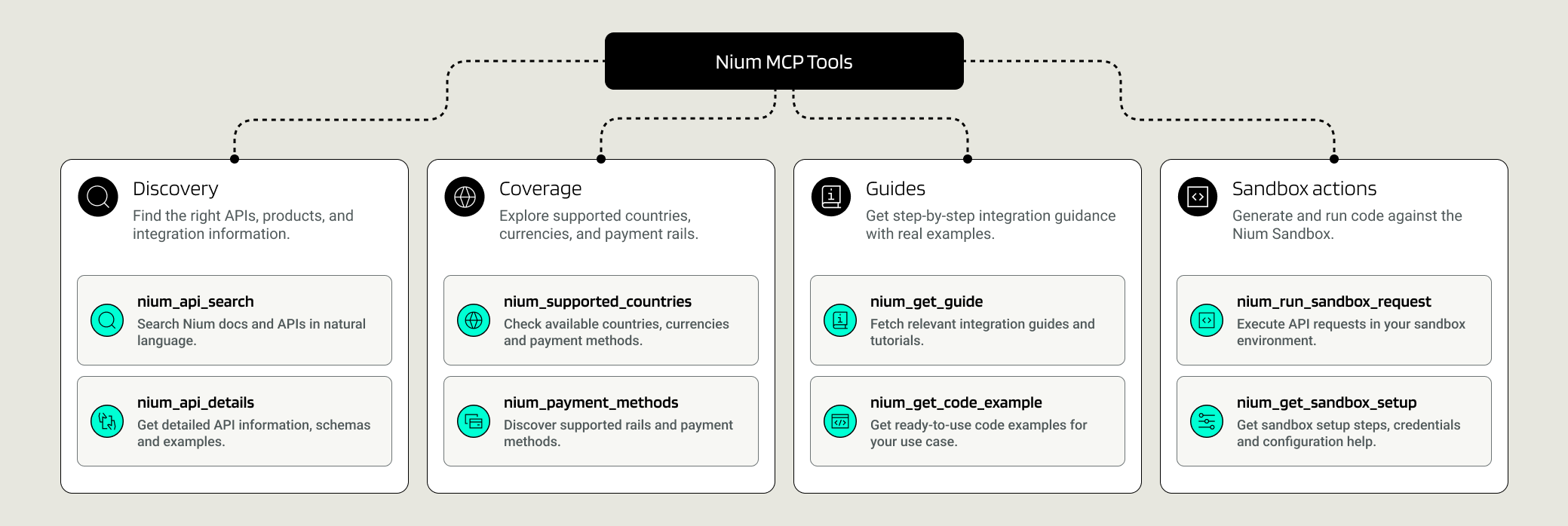
Behind the scenes, the server offers tools that cover finding the right API, reading its full details, checking country-by-country corridor coverage, reading developer guides, and running Sandbox reads and writes. You don't have to memorize them, because your assistant picks the right one. If you're curious, the full list is in our docs.
Try an end-to-end payout workflow
Here’s an example of the kind of end-to-end Sandbox workflow you can ask your agent to perform:
"Create a corporate customer in my Nium Sandbox called Meridian Logistics, complete their KYC, add a USD beneficiary, fund the wallet with 5,000 GBP, and send a 1,000 GBP payout."
That's a whole onboarding-to-payout journey in a single sentence. Watch your assistant work through it step by step, then ask it to turn what it just did into code you can use.
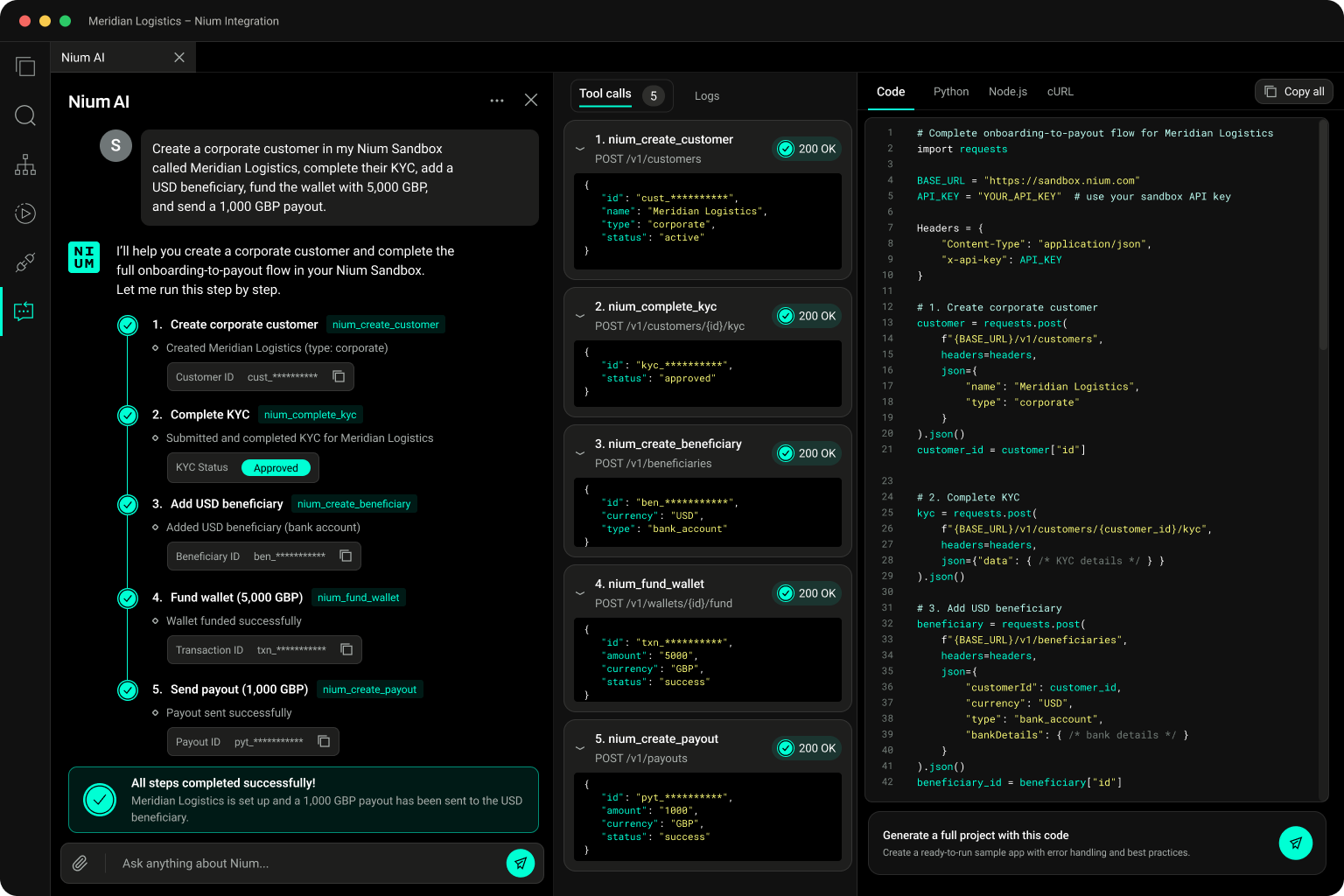
Your AI assistant may ask you to approve API calls before running them in Sandbox. Review the requested action and grant permission to proceed.
Connect from your preferred AI tools
You don't need to switch editors. The Nium MCP Server works with Cursor, Claude Code, Claude Desktop, Codex, ChatGPT, VS Code, Antigravity, Gemini CLI, and any other client that supports MCP over Streamable HTTP. Cursor and VS Code even have one-click install buttons.
You'll need a Nium Sandbox account and an API key, and Sandbox access is instant. Step-by-step setup for each client is in our developer docs.
Built for safe Sandbox experimentation
We're starting carefully, and here's what that means in practice.
- It's Sandbox only, for now. The server runs against your Sandbox account. If you'd like production support, tell us at developers@nium.com.
- You stay in the driver's seat. Write actions do real things in your Sandbox, so review what your agent is about to do before you confirm.
- Stay alert to prompt injection. Content from outside sources can try to steer an AI agent. Use these tools on Nium objects you trust, and stay cautious.
A good rule of thumb: let the AI draft, and you approve.
Help shape what comes next
This is the beginning, and we want to shape what comes next with the people who use it. Tell us what you build, what's missing, and what you'd like it to do next. You can reach us at developers@nium.com or on GitHub.
→ Read the setup guide here
→ Get your Sandbox API key: Nium Portal
We can't wait to see what you build.